Top Tip
- The layout of the dependencies table can be changed to an Edit All view by clicking on the downward arrow next to the Add button and selecting Layout. Click on the following highlighted link for more information on tailoring your project table layout.
What are Dependencies?
A dependency is a relationship between two things i.e. two tasks, two activities, two projects. This relationship must be closely managed as often changes in one will directly impact the other.
Dependencies Status
This section is where you can add and manage your project or activity dependencies.
By using the dropdown field, you can select the most appropriate overall status for the dependencies and provide any associated commentary. This information can be updated in real-time.
Adding Dependencies
Dependencies can be added to the project table via Add.

Dependency information can be entered using the simple form containing dropdowns, text, date and user picker fields.
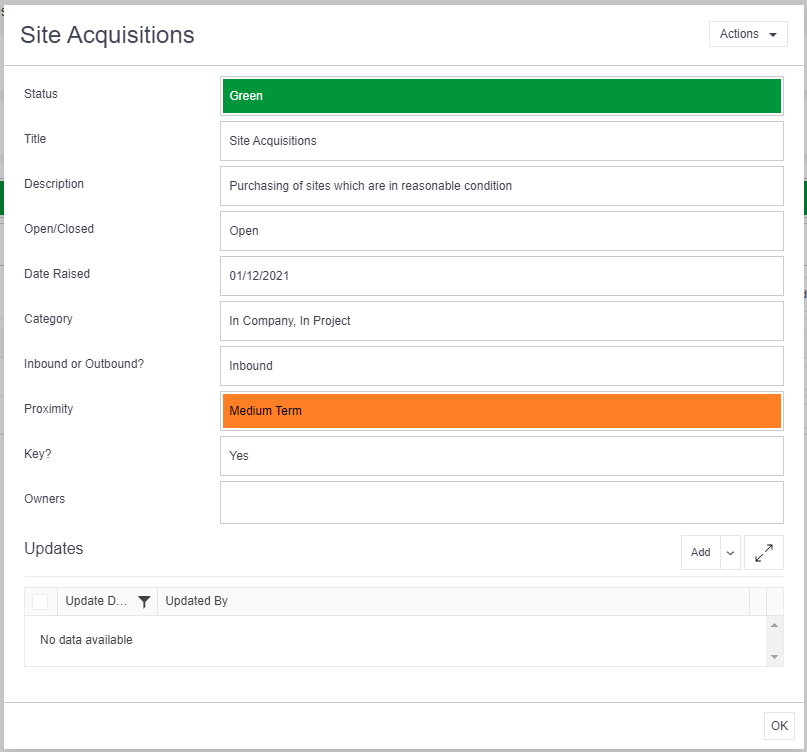
Anyone added as an Owner will receive a Verto notification and can set-up their own reminders for completion. They will also see these records in their personal Feed.
Advice
- Owners must be added to the Team Members table; otherwise they will not have permission to access the project or activity.
Using VertoSense
You can create and view connections within and across projects or activities using the VertoSense hashtag function #. This function appears in all free text fields. From within a free text box, click # to see all the sections of the current project or activity, as well as the files area, team members and other projects or activities. Once made, these connections can be viewed via the Network Map option under the main ‘Actions’ Menu.
Updating Dependencies
Click on Edit against the individual dependency to amend the information in the form.
The Updates area at the bottom of the form can also be used to record regular progress updates. Click Add to record a new update.