To attach a tag to a project, open the project and click on Actions > Tags.
A list of all the existing tag headers will be presented, and by clicking on the dropdown for each, simply select the appropriate tag(s).
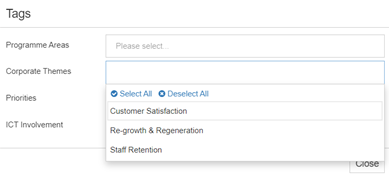
Click ‘Close’ when finished.
To attach a tag to a project, open the project and click on Actions > Tags.
A list of all the existing tag headers will be presented, and by clicking on the dropdown for each, simply select the appropriate tag(s).